Overview:
ICV is an LA-based 501©(3) non-profit organization with a mission to support the most vulnerable population of at-risk and exploited youth. Our team worked with the Homeless Outreach Program to build an internal database platform that centralizes and automates their day-to-day workflow.
Role:
Product Designer
Timeline:
January - June 2025
My Team:
2 Leads, 3 Designers, 5 Developers
Skills:
Figma, Maze
Context
ICV's intake process for potential new clients relied on paper and pen. Once back in the office, staff would scan the documents and maintain both physical folders and online folders on Dropbox for each client. We recognized this process was not only time-consuming, but also prone to error.
Research
Notion offered flexible organization through customizable task and calendar layouts but became sluggish with large datasets; Google Drive enabled quick file access via gallery views and search but lacked structured data management; and Airtable stood out for its robust filtering and real-time collaboration, ideal for data-heavy workflows, though its UI could overwhelm new users.

Iterations
After making our initial designs, we presented to the ICV staff during our bi-weekly meetings and thought through visual hierarchy again. We made dozens of iterations throughout this time, but here are some of our biggest tipping points.
Numbers should be tally-able.
Daily schedule should be prioritized.
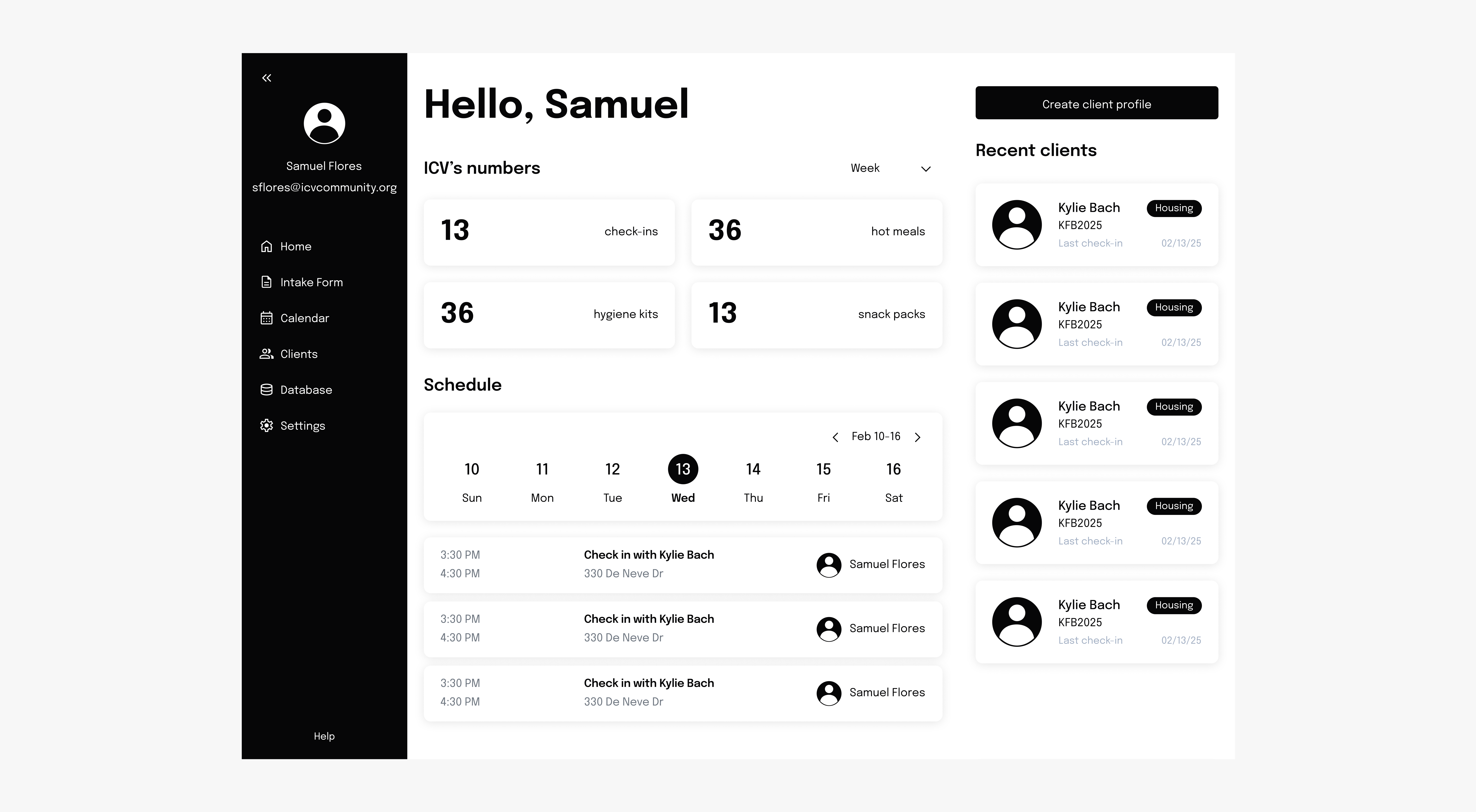
Fig. 1: Old Dashboard
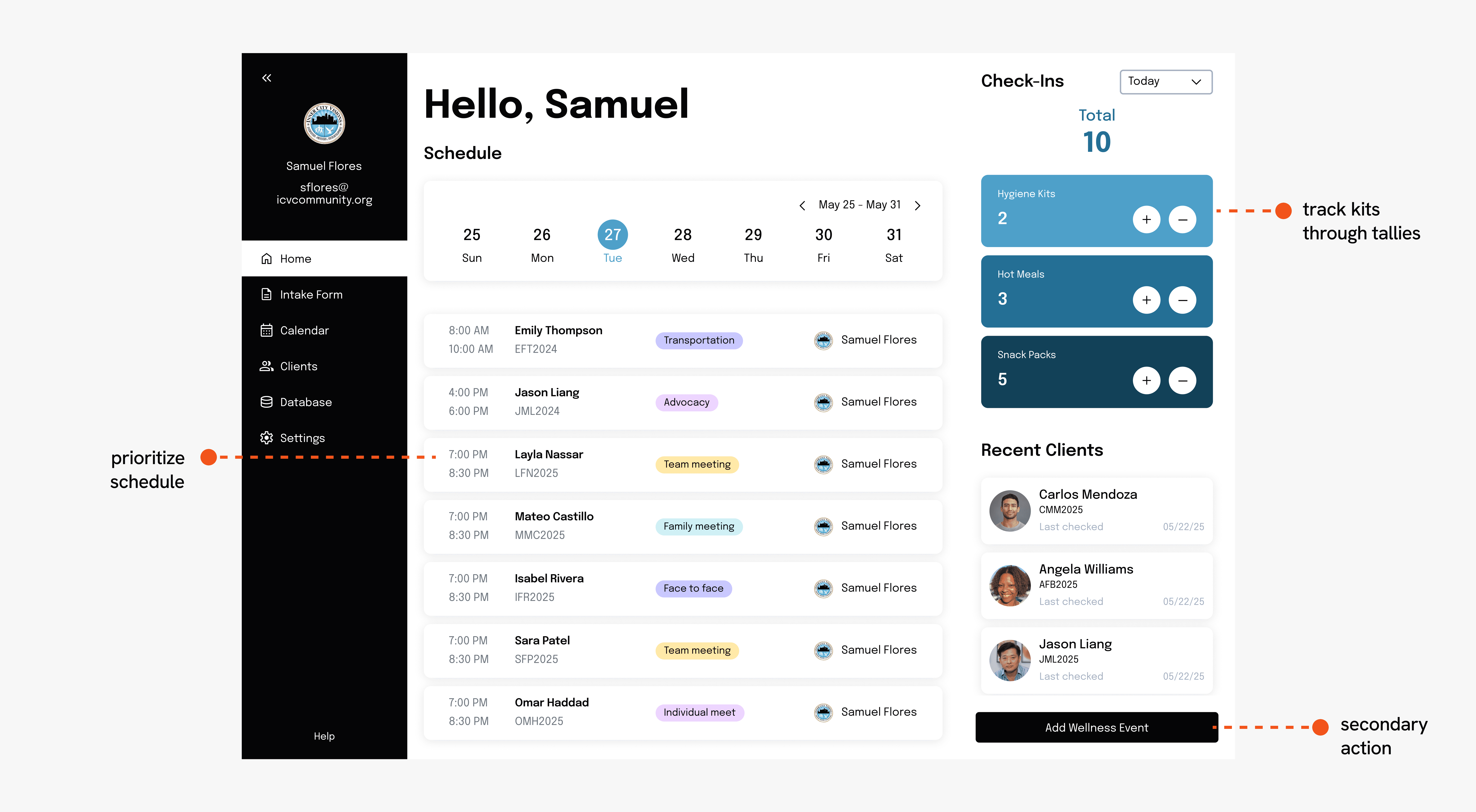
Fig. 2: New Dashboard
Prioritize check-ins on the client profile.
Nest upcoming check-ins within the check-in tabs.
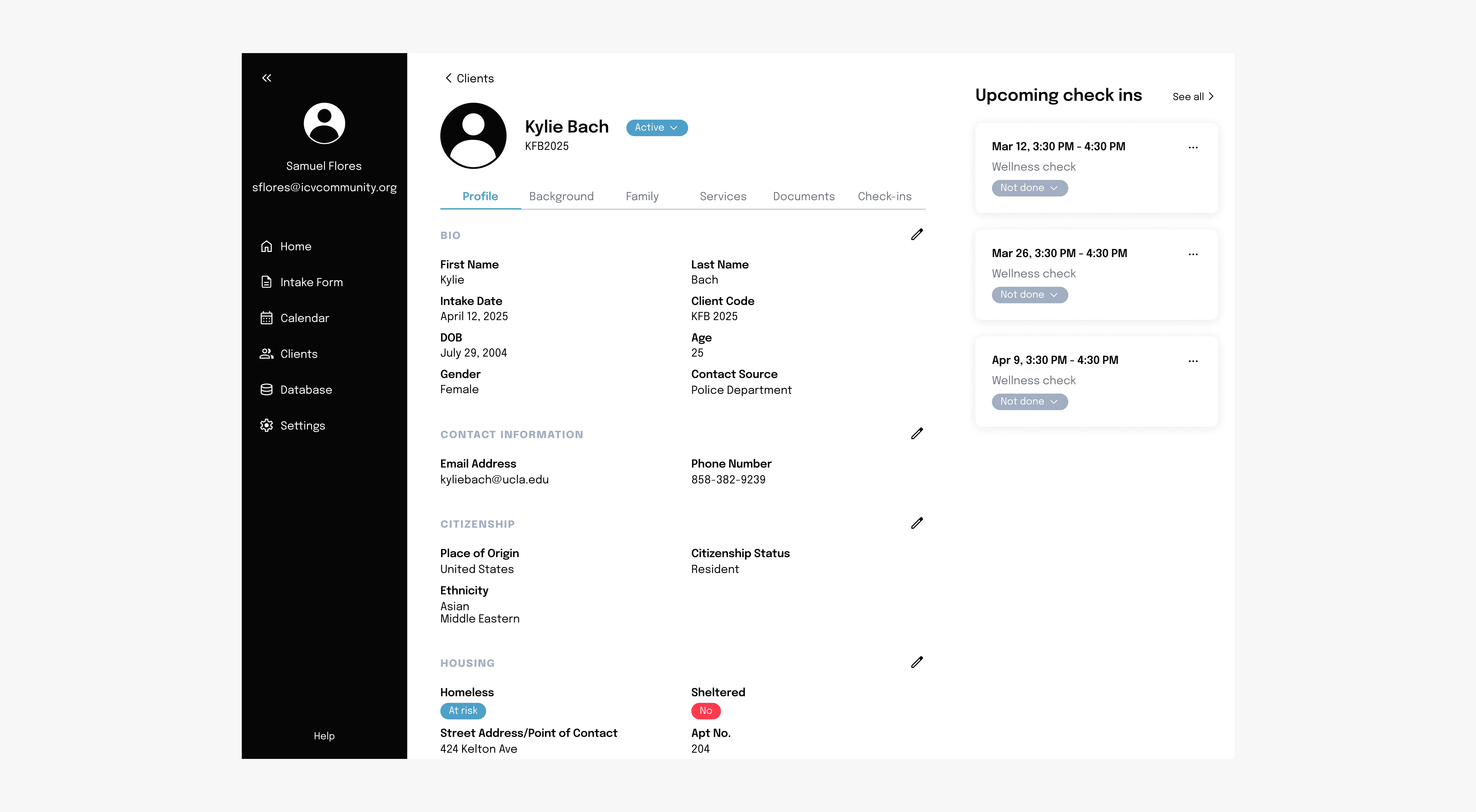
Fig 3: Old Client Profile
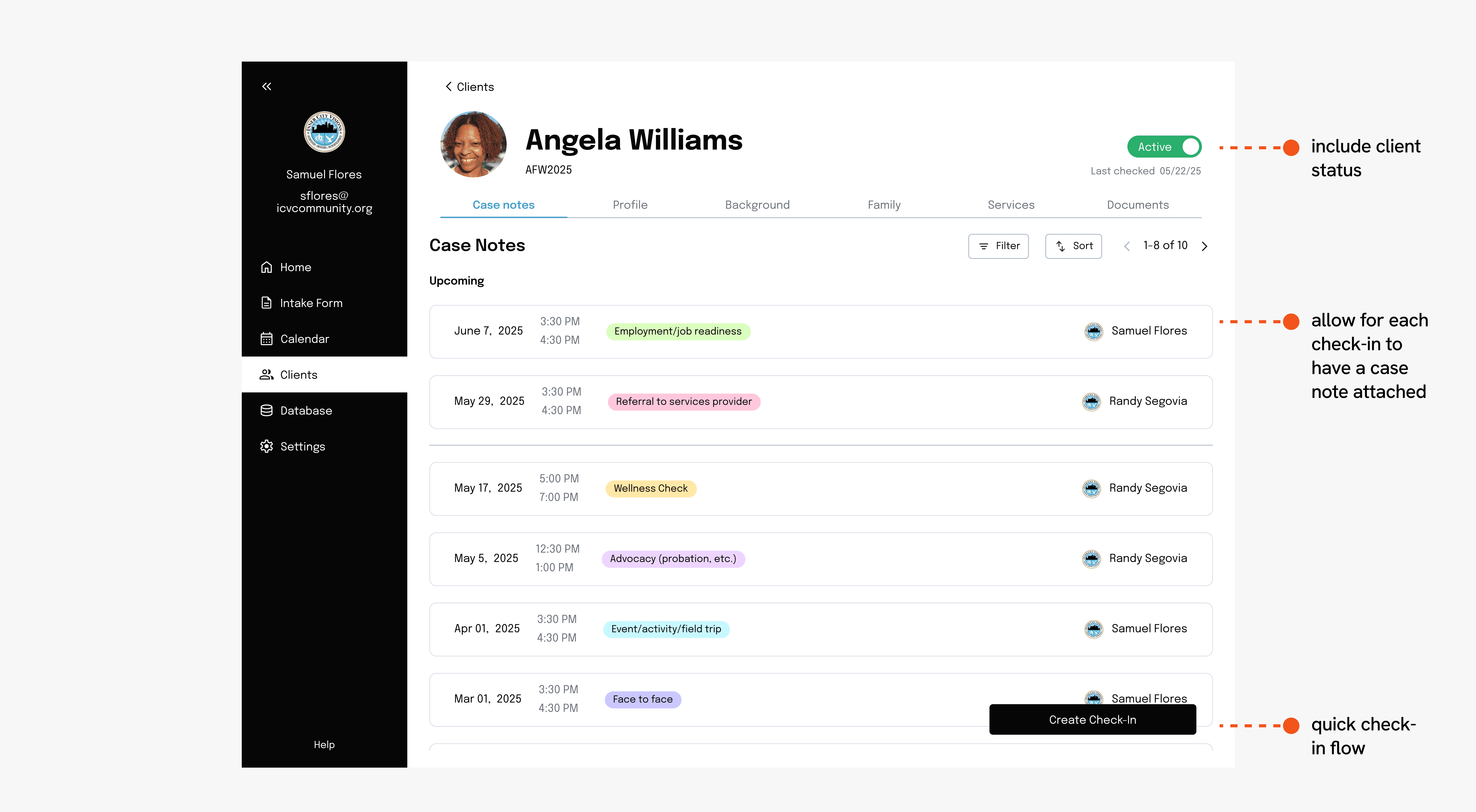
Fig 4: New Client Profile
Access personal and team calendar through toggles.
Restructure the calendar view for maximum visibility.
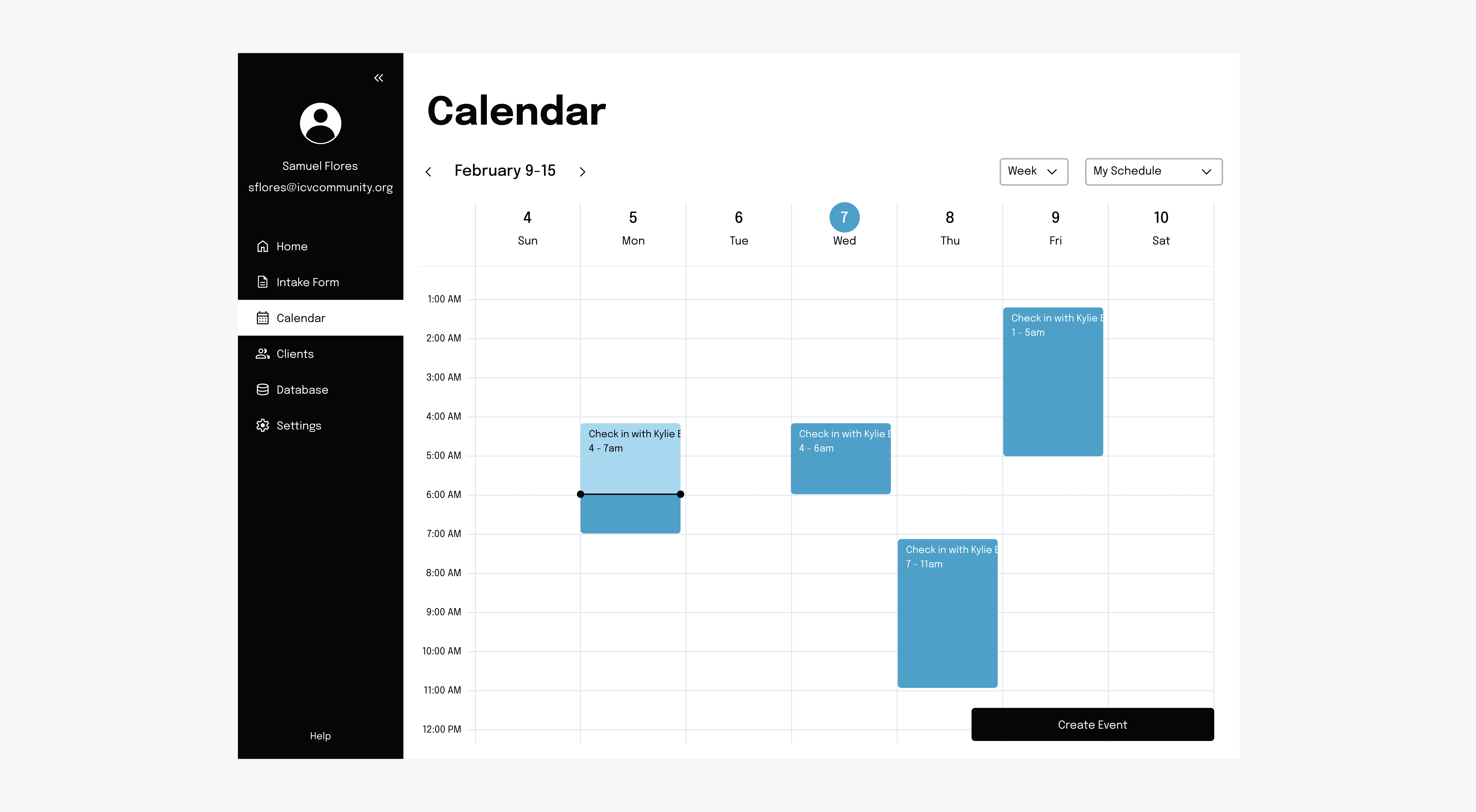
Fig 5: Old Calendar
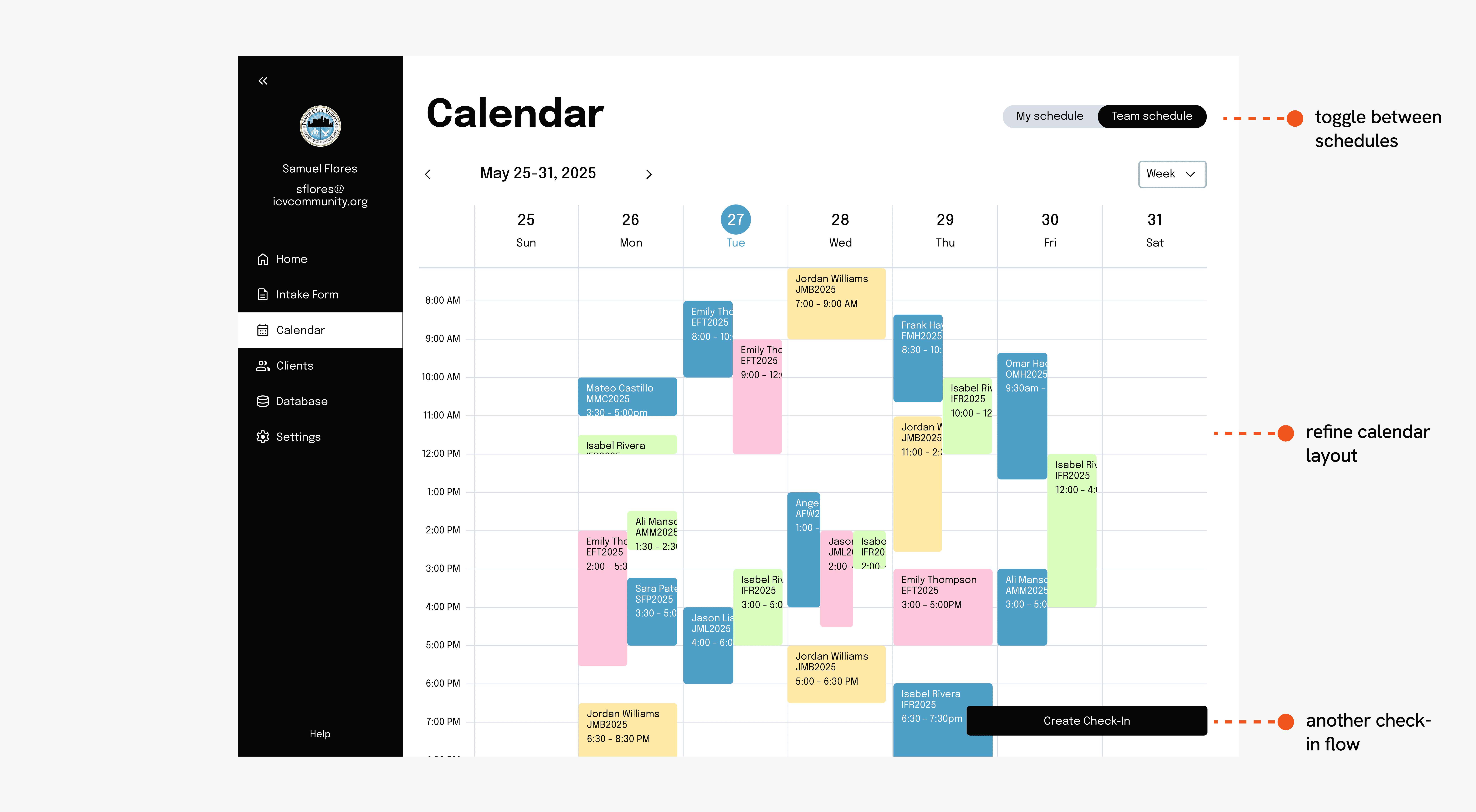
Fig 6: New Calendar
A Blip In The Road:
Meeting clients can range from a simple hello to a full deliberation. Here's a quick visualization that shows the relationship between the different forms of check-ins!
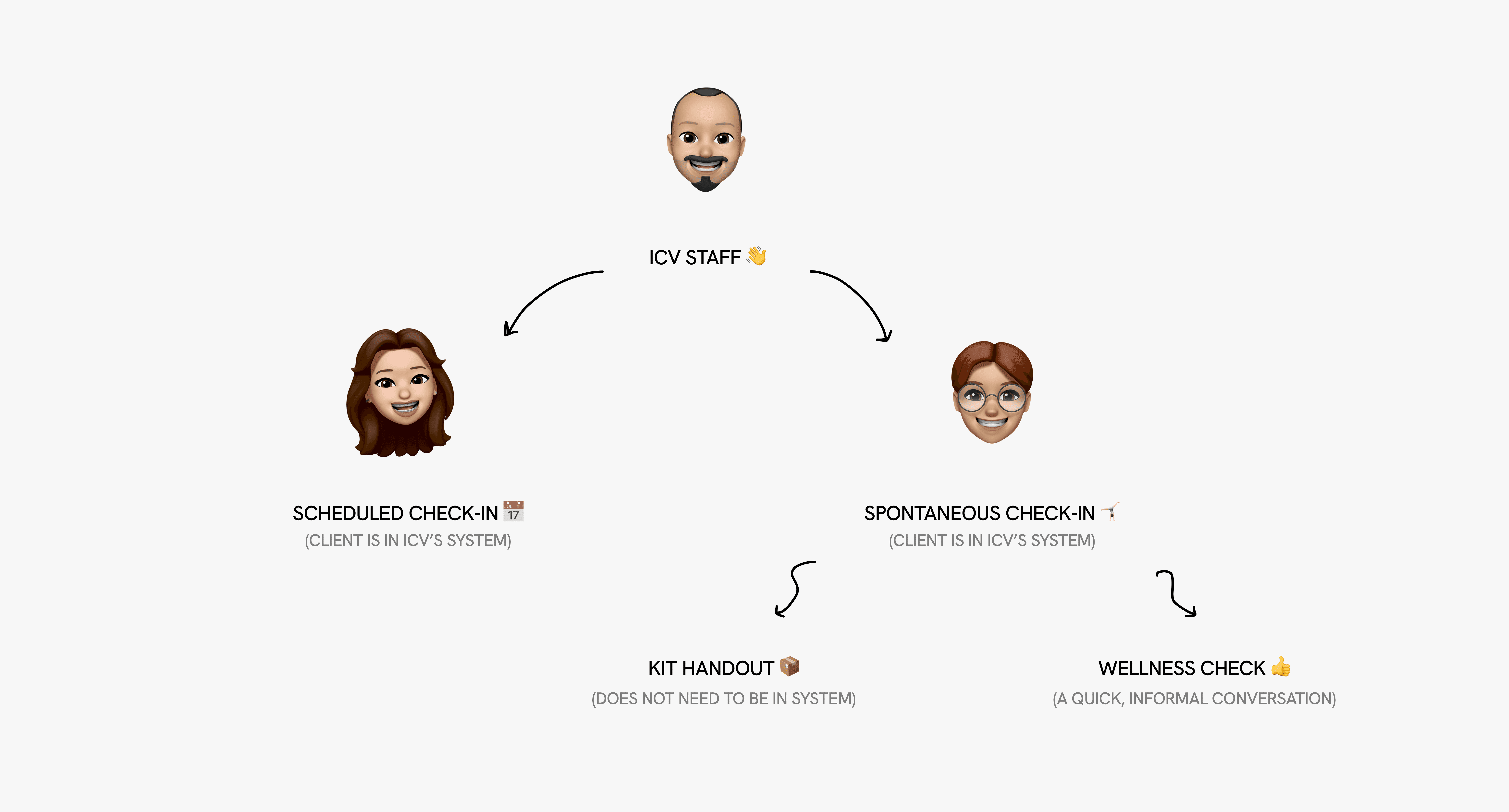
Fig 7: Check-Ins
Creating Multiple Flows To Check In
We designed a way to ensure the flow for tracking different check-ins were distinguishable, efficient, while also serving its purpose well.
Kit handouts can happen any time on the field, to anyone.
Wellness checks occur with clients in ICV system; a simple hello counts.
Scheduled check-ins are the most intentional and requires the most information to be inputted.
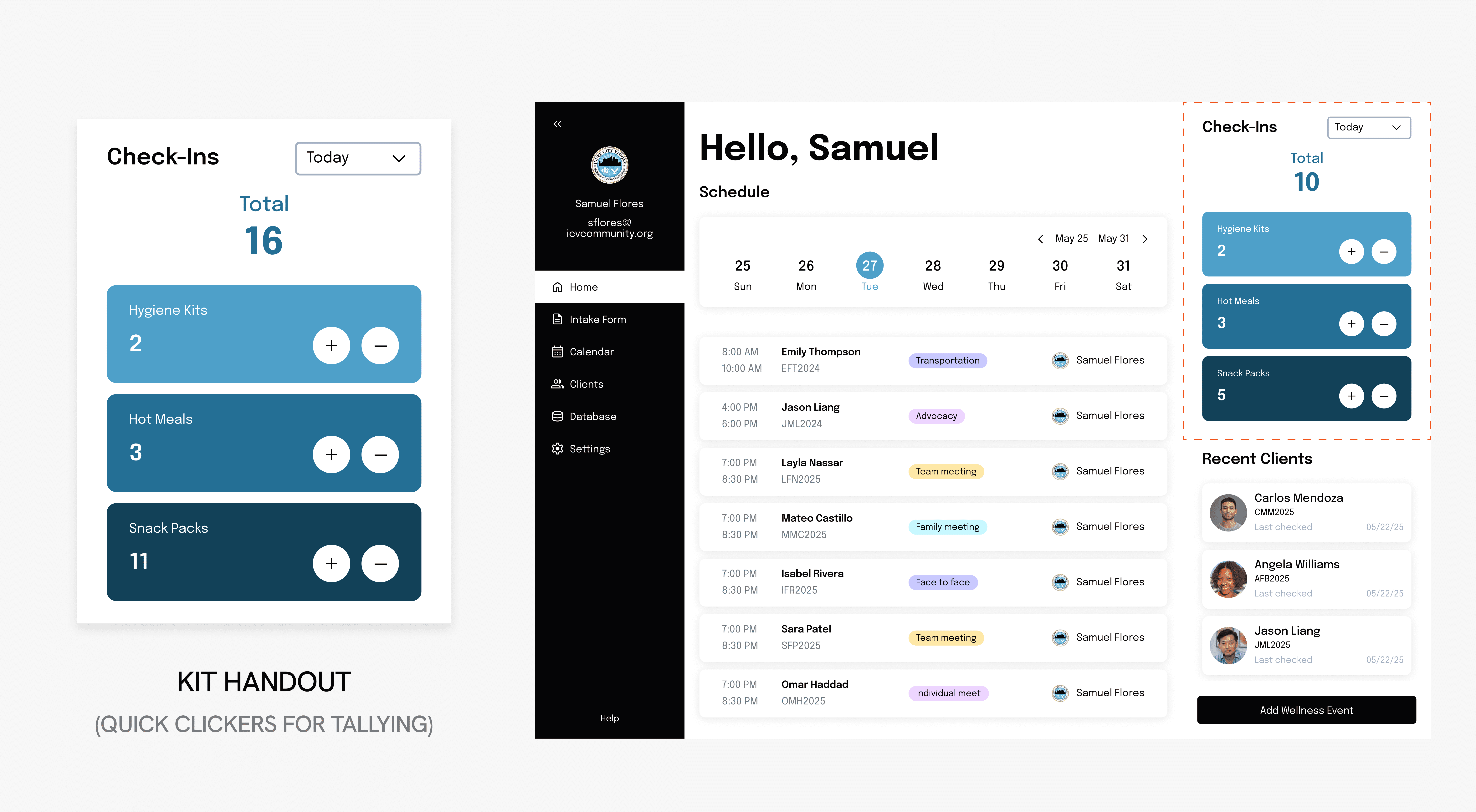
Fig 8.: Kit Handout
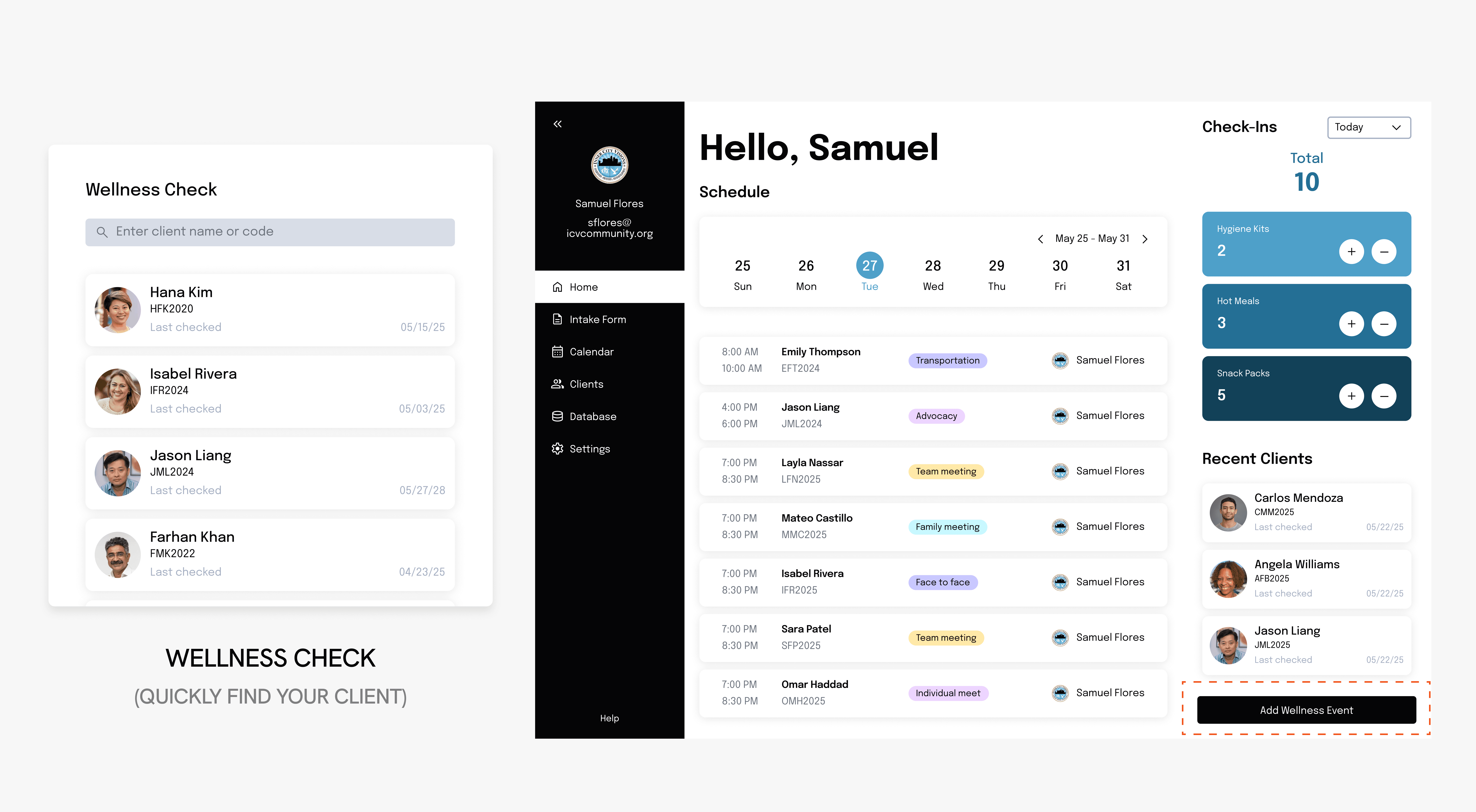
Fig. 9: Wellness Check
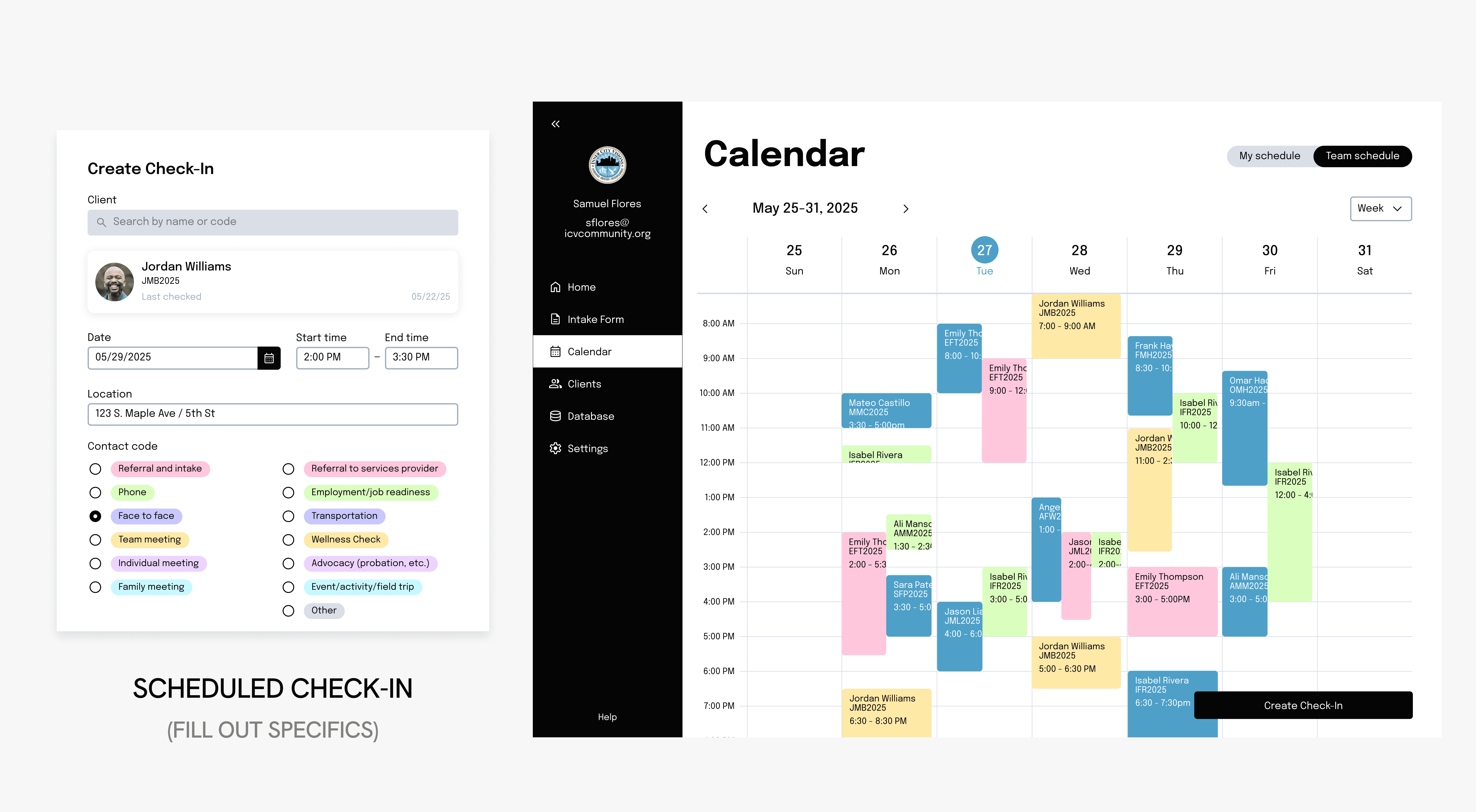
Fig. 10: Scheduled Check-In
A Second Blip In The Road
This occurs when both spouses are in the ICV system, either through having their own individual profiles or by being linked to a spouse who is already in the system. This can also include double-counting of dependents, if applicable.
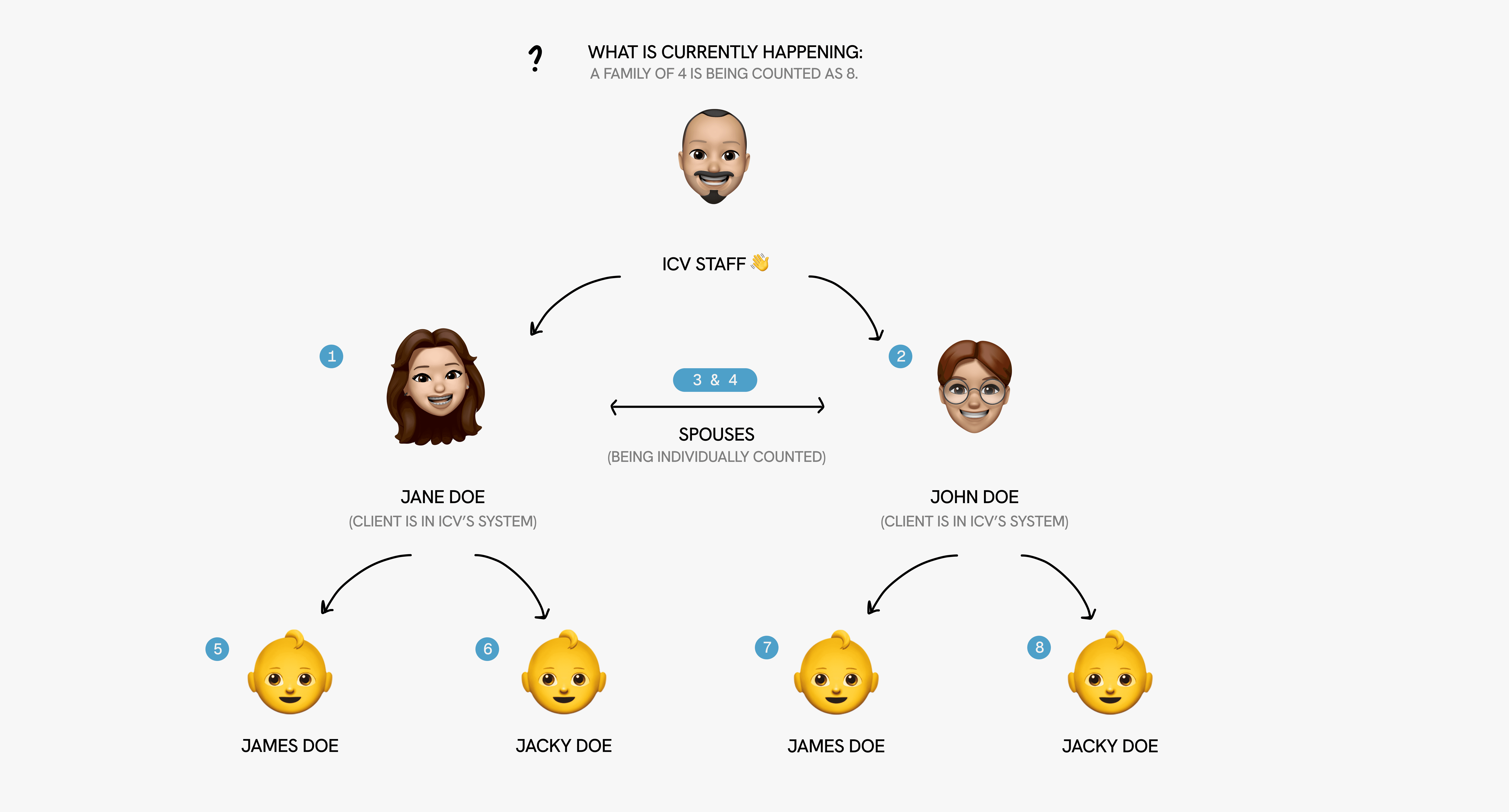
Fig. 11: Double-counting family members
Establishing a Head of Household
By assigning a client "Head of Household," we are able to eliminate double-counting and ensures an accurate count of the population served by ICV.
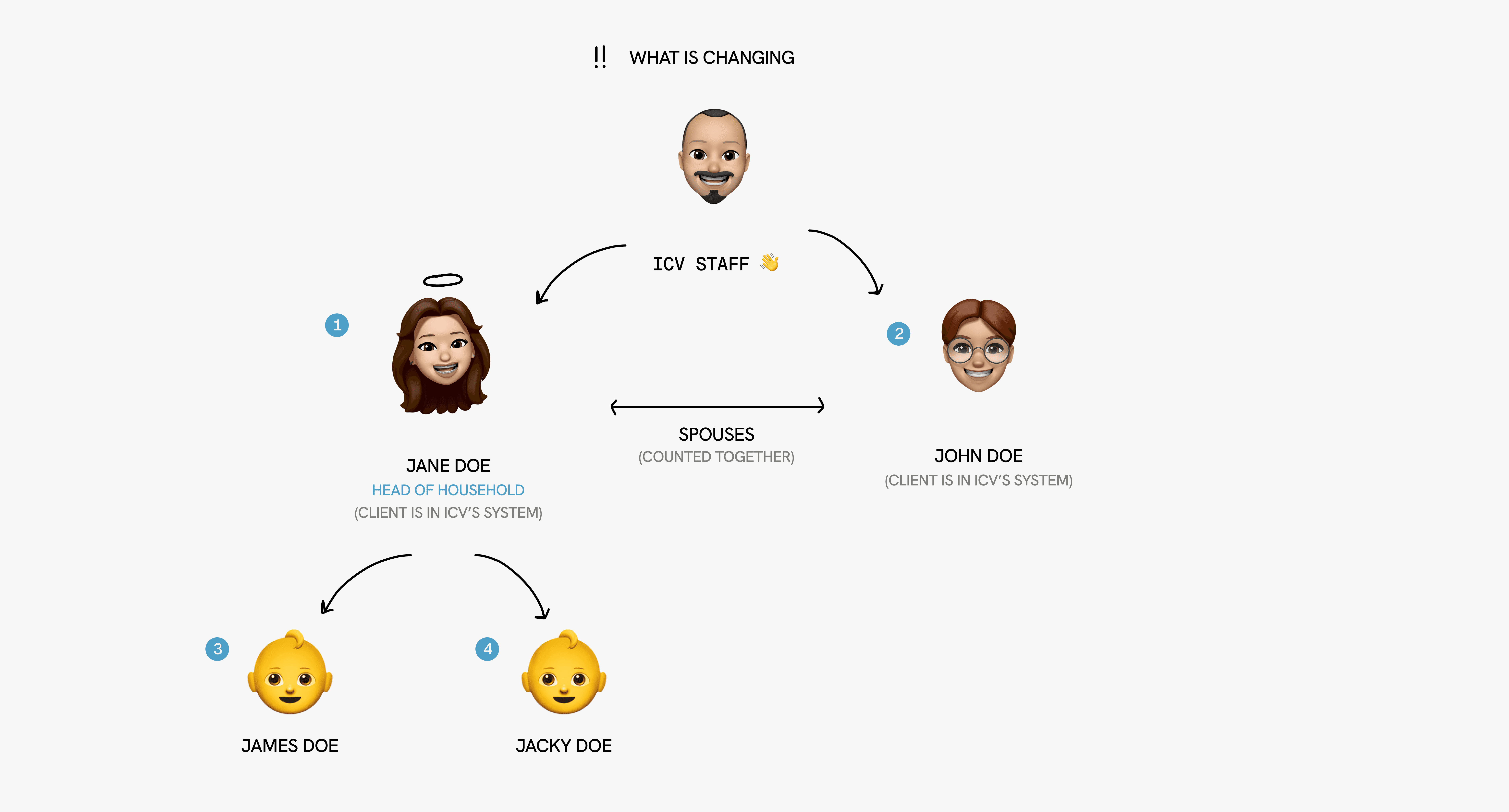
Fig. 12: Establishing a head of household
Revising the family section under the intake form
Clients will have to state if they have a spouse (regardless of if they are an ICV client), if they have dependents, and if they are the head of household. Children will only be stored under who is the head of household to avoid duplicates.
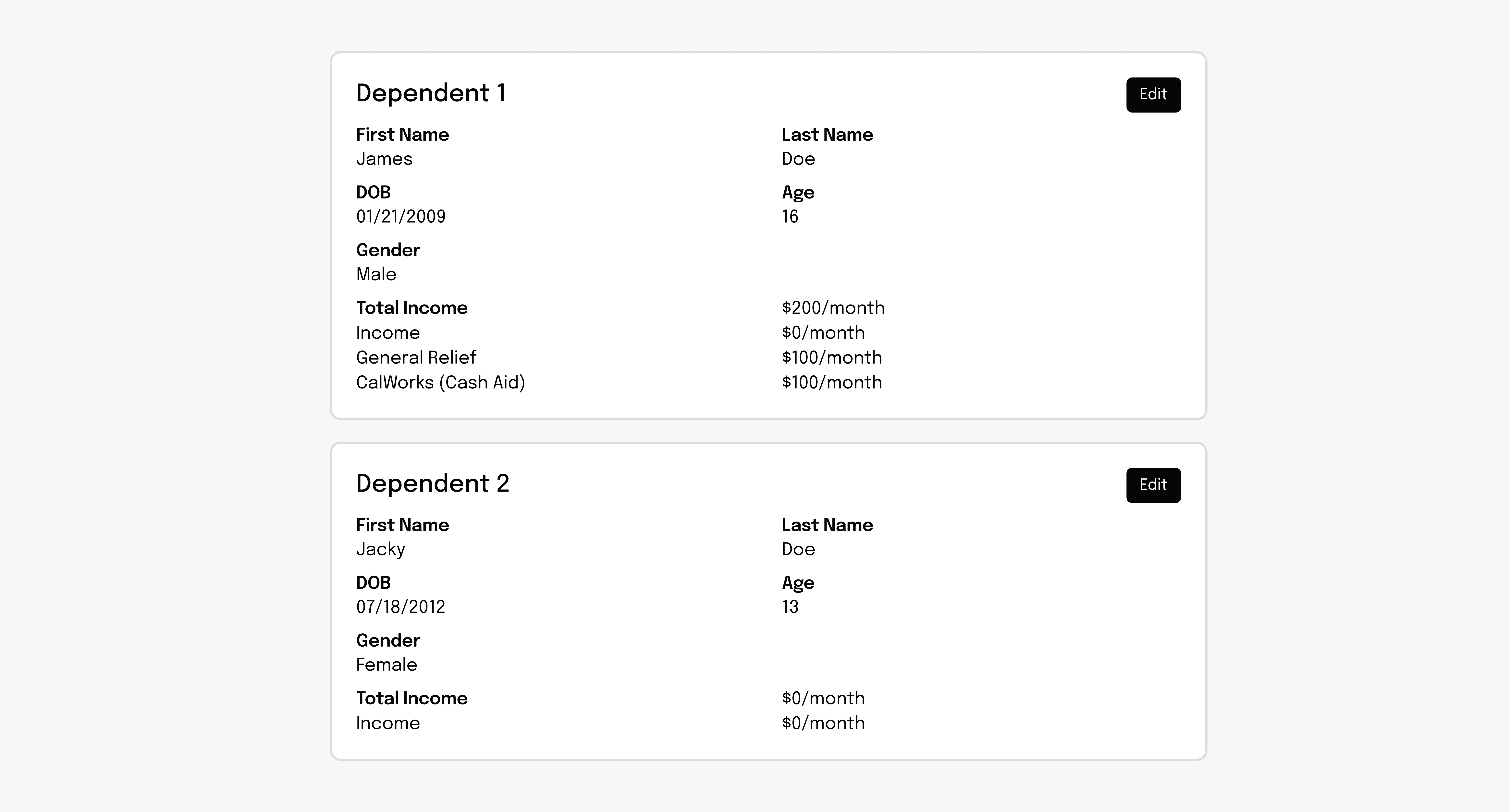
Fig. 13: Family section under the intake form
User Testing
We conducted unmoderated user testing on Maze using both tablet and desktop devices. This allowed us to simulate real-world usage scenarios, both in-field and in-office.
In addition, we also carried out live user testing sessions with ICV staff to gather direct feedback. From our analysis, we discovered that they faced the most difficulty navigating the tablet version of the interface, highlighting a key area for improvement in mobile usability.
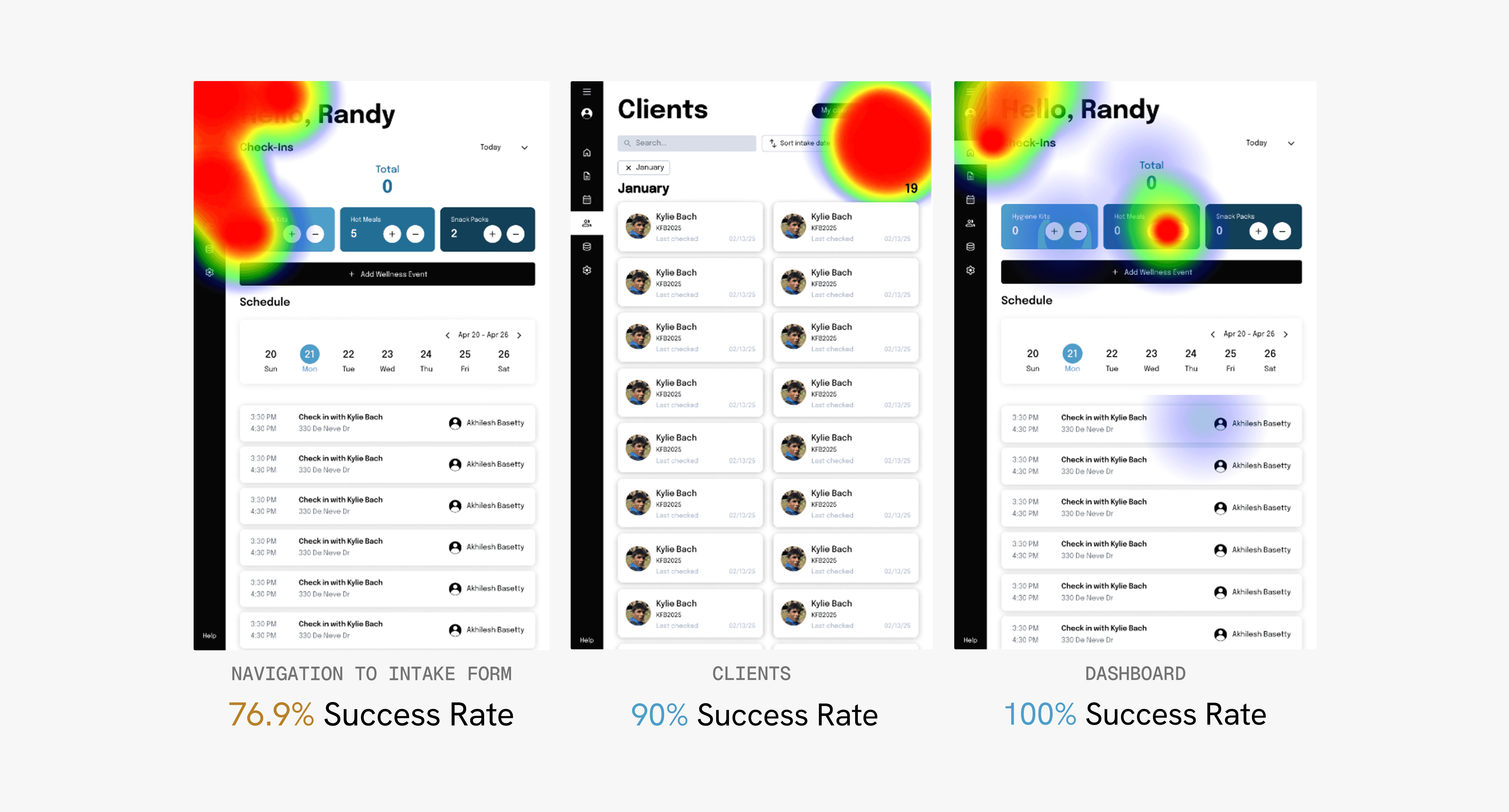
Fig. 14: Maze heat maps
Feedback Implementation
As a result, we designed a collapsible menu that allows users to easily navigate to the appropriate tab. This streamlined layout improves usability, reduces visual clutter, and enhances the overall user experience across the dashboard on tablets.
The Solution
A completely digital, internal database system.
Home + Calendar
Check-ins, event scheduling, and kit tracking.
Clients + Database
Access & edit client information + view all clients through a database.
Intake Form
Onboard a new client through a secured intake form to be a part of ICV's system.
The Impact
70% reduction in workflow duration
50% reduction in recording metrics duration
33% reduction in client intake process duration
100% smiles from Samuel & Randy :)
Wrap-Up
Working on my first non-profit client project was incredibly valuable. I gained so much from my peers and saw firsthand the impact of building technology that serves the community. Here are my biggest takeaways:
Validate designs, quick & early
Conduct weekly check-ins with engineers to sync features & foster cross-team collaboration
Be flexible & design with the intention of change

Big shout-out to my team <3